
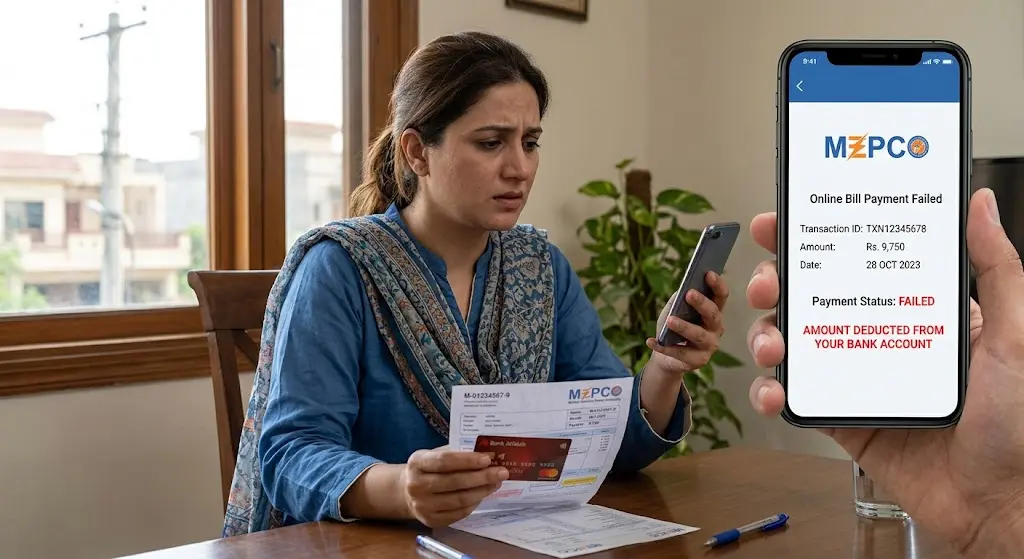
I’ve seen this problem create more confusion than the original electricity bill itself. The payment screen shows an error, the app says the transaction failed, but the money has already disappeared from the bank or mobile wallet.
Then comes the uncomfortable part. You check your MEPCO bill again and it still looks unpaid.
Don’t immediately pay the same bill a second time.
A failed payment message does not always mean the financial transaction was completely reversed. Sometimes the payment provider has taken the amount but the confirmation has not reached the billing system yet. Sometimes the transaction really did fail and the amount is only temporarily held before being reversed.
Those are two different situations, and treating them as the same thing is where people usually make an expensive mistake.
I’ve written this guide around the practical checks I would make before attempting another payment.
1. The Payment Failed, But Where Did the Money Go?
The first thing to understand is that an online electricity payment usually involves more than one system.
There is your bank or wallet, the payment channel itself, and the electricity billing system. A problem at any point can produce a confusing result.
For example, imagine you pay a MEPCO bill of Rs. 8,500 through a mobile banking app. The bank debits Rs. 8,500 from your account. Before the payment confirmation reaches the next system, the connection times out.
Your screen says:
Payment Failed
But your bank statement says:
Rs. 8,500 Debited
That doesn’t automatically mean your money is gone.
It means the payment status needs to be checked before you do anything else.
There are usually three possibilities:
| What you see | What it usually means | What to do |
|---|---|---|
| Payment failed and no amount deducted | Transaction did not complete | Try again after confirming the bill is still unpaid |
| Payment failed but amount deducted | Transaction is unresolved or pending | Keep the transaction reference and wait for status/reversal |
| Payment successful but MEPCO bill still shows unpaid | Confirmation may not have updated yet | Don’t immediately pay again, verify the payment first |
| Amount deducted and later reversed | Transaction was cancelled/rejected | Wait for the reversal, then make a fresh payment if required |
The exact status depends on the bank, wallet, payment gateway, or channel you used. That’s why I don’t recommend assuming that every deducted amount has already reached MEPCO.
And this is one of those situations where your transaction receipt matters more than the message on the screen.
Keep it.
Take a screenshot if necessary.
2. Check the Transaction Before Paying the Bill Again
This is the part people rush.
They see the red error message, open the payment screen again and submit the same MEPCO bill. If the first transaction later settles successfully, they could end up paying twice.
Before making another payment, collect these details:
- MEPCO reference number or consumer number
- Bill amount
- Date and time of attempted payment
- Bank or wallet used
- Transaction ID or reference number
- Screenshot of the failed-payment message
- Debit notification from the bank or wallet
- Current status of the MEPCO bill
Don’t rely only on an SMS.
Open the banking or wallet application and check the actual transaction history. Look for wording such as pending, successful, reversed, failed, or completed. The exact wording differs between providers.
If the transaction is still pending, giving the system a little time is usually more sensible than immediately starting another transaction.
But don’t confuse waiting with ignoring the issue.
If your MEPCO bill is close to its due date, keep the payment evidence because you may need it when contacting customer support.
For people who regularly check their electricity bills online, I also recommend keeping the reference number somewhere accessible. The reference number is much more useful than trying to explain your entire bill history to a support representative.
That sounds obvious, but when you’re standing there looking at a deduction of several thousand rupees, obvious things suddenly become surprisingly difficult to remember.
3. Confirm Whether the MEPCO Bill Actually Received the Payment
The bank showing a debit and MEPCO showing an unpaid bill are not necessarily contradictory.
The two systems may simply not have reached the same status yet.
Start by checking the bill again using your normal MEPCO bill-checking method. Look carefully at the amount due and any payment status shown by the service you are using.
If the bill still appears unpaid, don’t assume that means the payment definitely failed.
Give the transaction enough time to move from the payment channel into the billing system, particularly when you have a transaction reference showing that money was deducted.
If you use mepcco-bill.pk for billing information, use it as a reference point for checking your bill details, but remember that a third-party informational website does not control the bank transaction or MEPCO’s internal payment ledger.
This distinction matters.
I see people blame the bill website when the real issue is between their bank and the payment channel. The website can display information, but it cannot personally reverse a debit from your bank account.
If you want to understand other ways consumers pay their electricity bills, the site’s guide on MEPCO bill payment methods is also useful for comparing payment channels.
The safest approach is simple: verify the payment status before attempting a second payment.
4. What to Do If the Amount Was Deducted and the Bill Remains Unpaid
Now we get to the situation that causes the most anxiety.
Your account has been charged.
Your payment failed.
And the MEPCO bill still shows the amount as payable.
I would handle it in this order.
First, save the transaction information.
Second, check whether the bank or wallet lists the payment as pending, successful, failed, or reversed.
Third, contact the payment provider if the status is unclear. Give them the transaction ID, amount, date and time. Don’t just say, “My bill payment failed.” Support staff need the transaction details to trace the payment.
Fourth, check the MEPCO bill again after the payment status has been investigated.
If the payment provider confirms that the transaction was unsuccessful and says the amount will be reversed, wait for that reversal according to the provider’s stated process.
If the provider says the transaction was successful, ask for the payment reference or confirmation details. That information becomes useful when asking the electricity company to trace the payment.
MEPCO’s published customer service information lists 118 and 0800-63726 for online complaints.
When contacting MEPCO, have your reference number and payment evidence ready.
Don’t send a blurry screenshot if you can avoid it. A clear transaction receipt containing the relevant reference information is much easier for someone to investigate.
5. The Mistake People Usually Make With a Failed Payment
Here’s where people usually go wrong.
They treat the payment screen as the final authority.
It isn’t always.
A message saying “failed” describes what the payment interface knows at that moment. It doesn’t necessarily describe what happened to the money five seconds earlier or what another connected system will report a few minutes later.
The opposite mistake happens too.
Someone sees money deducted and immediately assumes MEPCO has received it.
That isn’t guaranteed either.
A debit from your bank account proves that money left your account or was placed into a transaction, but you still need confirmation of where that transaction ended.
This is why transaction IDs are so valuable.
Think of the payment reference as the thread connecting your bank, payment service and bill. Without it, you’re asking support staff to search for a payment using general information. With it, they have something specific to investigate.
And don’t delete the failed-payment notification just because the app later changes its status. Keep the original evidence until the bill is confirmed as paid or the money has been returned.
6. What If the Money Is Not Returned?
This is where you should stop treating the issue as a simple failed MEPCO payment.
If your bank or wallet confirms that the transaction failed but the deducted amount has not returned within the provider’s stated reversal period, contact that provider and open a formal complaint.
Ask for a complaint or ticket number.
Write it down.
If you are dealing with a bank, provide the transaction ID and debit information. If you’re dealing with a mobile wallet, provide its transaction reference and the relevant account details requested by support.
Don’t send your PIN, password or one-time authentication code to anyone claiming they need it to “release” the refund. Genuine support processes should not require you to disclose confidential authentication credentials.
If the payment was successful according to the provider but the MEPCO account still has not been credited, keep both sides of the evidence. You may need to establish that the money left your account and that the intended electricity bill was the beneficiary.
This is also why I prefer keeping payment receipts for utility bills rather than deleting them after receiving a confirmation notification.
A receipt takes almost no storage space. Reconstructing a missing transaction later can take considerably more time.
7. When MEPCO Complaint Support Becomes Necessary
MEPCO provides customer service channels for complaints, including 118 and 0800-63726.
When you contact them, explain the problem in a compact way:
“My MEPCO bill payment of Rs. X was attempted on [date/time]. The amount was deducted from my [bank/wallet], but the transaction showed failed and the bill remains unpaid. My transaction reference is X.”
That’s much better than sending a long explanation with no transaction number.
If the first-level complaint does not resolve the issue, keep the complaint number and any correspondence. Escalation works much better when there is a documented trail.
For unresolved electricity consumer complaints, NEPRA also provides an online Consumer Complaint Management System where consumers can register and track complaints. Its current registration process asks whether the consumer first complained to the concerned distribution company, along with the reference/consumer number and details of the complaint.
So I would not jump straight to regulatory escalation for a routine payment delay. Start with the payment provider and MEPCO, document what happened, then consider the appropriate escalation route if the matter remains unresolved.
8. A Simple Checklist Before You Pay Again
When I’m checking a situation like this, I reduce it to a few questions.
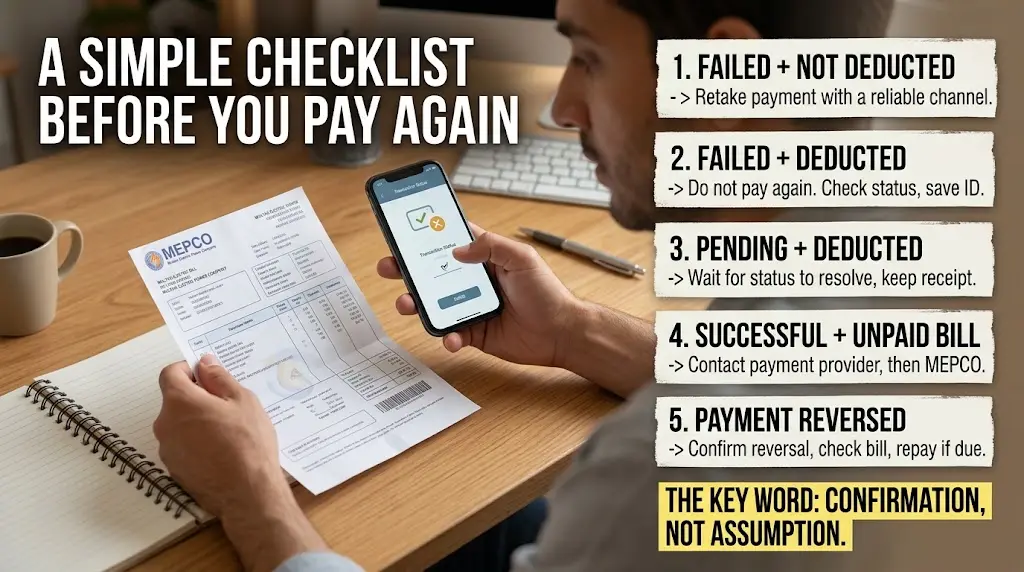
Payment failed + money not deducted
Check that the bill is still unpaid, then retry using a reliable payment channel.
Payment failed + money deducted
Do not immediately pay again. Check the transaction status and save the transaction ID.
Payment pending + money deducted
Wait for the payment provider’s status to resolve, while keeping the receipt.
Payment successful + bill still unpaid
Contact the payment provider first and obtain confirmation or transaction details, then ask MEPCO to trace the payment if necessary.
Payment reversed
Once the reversal is confirmed, check the bill again and make a fresh payment if the amount remains due.
The key word throughout this process is confirmation.
Not assumption.
9. A Few Things Worth Checking Before the Next Payment
A failed payment is also a good reminder to make the next transaction easier to trace.
Use the correct MEPCO reference number.
Check the payable amount immediately before submitting the payment.
Keep the confirmation page or receipt.
Don’t close the application immediately after pressing the payment button if it is still processing.
And if the application shows an error while your bank sends a debit notification, don’t panic and don’t repeatedly press the payment button.
One failed attempt is a problem.
Two successful payments for one bill is a different problem.
If you’re interested in other MEPCO-related changes, the site’s coverage of MEPCO’s updated bill format explains another recent change consumers may notice when reviewing their bills.
There is also a separate guide covering MEPCO helpline and complaint contact details, which is worth keeping bookmarked if you regularly handle electricity billing issues online.
One more thing I tell people: don’t confuse the convenience of online payment with instant certainty. Electronic payments are fast, but several systems still have to agree that a transaction succeeded.
That little gap is where most of this confusion starts.
Frequently Asked Questions
What should I do if my MEPCO bill payment failed but my bank deducted the money?
Don’t immediately make another payment. First check the transaction status in your bank or wallet and save the transaction ID, then contact the payment provider if the status is unclear. Also check the MEPCO bill again after the transaction has had time to update.
Should I pay my MEPCO bill again if the first payment failed?
Not until you establish what happened to the first transaction. If the first payment later succeeds, making another payment could result in a duplicate payment.
How can I complain to MEPCO about a payment problem?
MEPCO’s published customer service information lists 118 and 0800-63726 for online complaints. Keep your MEPCO reference number, transaction ID, amount, date and payment receipt available when contacting support.
What if the bank says the payment was successful but my MEPCO bill is still unpaid?
Ask the bank or payment provider for the transaction confirmation or reference details. Then use those details when contacting MEPCO so the payment can be traced.
Can I complain to NEPRA if the payment problem is not resolved?
NEPRA provides an online Consumer Complaint Management System for electricity-sector complaints. Its current process asks consumers to provide details of their complaint and indicates that they should first make a representation to the concerned distribution company before escalating the matter.
For me, the most sensible rule is still the simplest one: when a MEPCO payment fails but the money has been deducted, verify the first transaction before creating a second one. Keep the receipt, keep the transaction reference, and let the payment trail tell you what happened.
That small bit of patience can save a much bigger headache later.

Pingback: MEPCO Load Shedding Schedule: How to Check Yours – MEPCO Bill Check 2026