
MEPCO Old Bill History 2026 – How to Check Previous Bills Online
Keeping track of your previous electricity bills can be useful for many reasons. You may need an old MEPCO bill to confirm a payment, compare your electricity usage, check a previous bill amount, prepare documents, or resolve a billing issue.
For MEPCO consumers, the easiest starting point is the online bill lookup service. You can use the information printed on your electricity bill, such as your 14-digit reference number or Customer ID, to find your bill details online.
If you regularly need your electricity records, it is also a good idea to save important bills after checking them. This can save time when you need an older bill later.
You can use our MEPCO Bill service to get started with online bill checking. For official billing and complaint-related services, consumers can also use the relevant PITC systems.
What Is MEPCO Old Bill History?
MEPCO old bill history simply means the information from your previous electricity bills.
When you compare old bills, you can usually look at details such as:
- Billing month
- Previous and current meter readings
- Units consumed
- Bill amount
- Due date
- Arrears, if applicable
- Taxes and other charges
- Payment-related information shown on the bill
- Consumer information
- Reference number and Customer ID
Looking at these details over several months can help you understand how your electricity consumption changes.
For example, if your electricity bill suddenly becomes much higher than usual, checking your previous bills can help you determine whether the increase came from higher unit consumption, additional charges, arrears, or another billing change.
If you are looking for your current MEPCO bill, you can also use our MEPCO Bill Check service to find the latest available bill information.
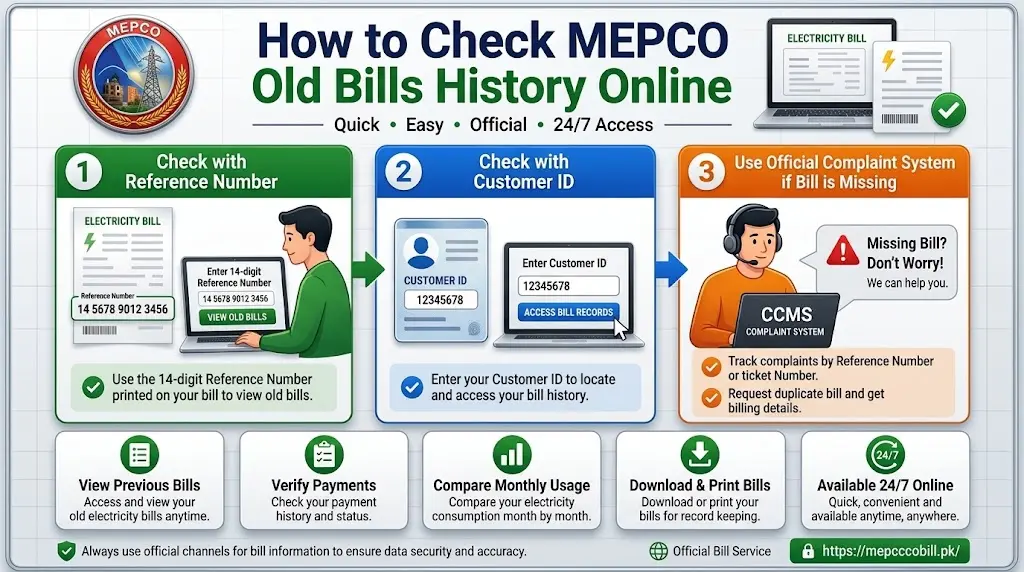
How to Check MEPCO Old Bill History Online
Checking previous MEPCO bill information is generally straightforward. You need the billing information associated with your electricity connection, usually the reference number or Customer ID.
Follow these steps:
Step 1: Find Your Reference Number
Take any previous MEPCO electricity bill and look near the top section of the bill.
Your 14-digit reference number is one of the most important details used for bill identification.
Enter the number carefully. A single incorrect digit can prevent the system from finding the correct consumer record.
Step 2: Open the MEPCO Bill Lookup Service
Open the online bill-checking service and select the option for MEPCO, where applicable.
PITC provides online electricity services for distribution companies, including an electricity bill viewing service. PITC identifies bill viewing as one of its online services.
You can also start from our MEPCO online bill page.
Step 3: Enter Your Billing Details
Enter your reference number or Customer ID in the required field.
Before submitting the form, check the number again. Avoid adding unnecessary spaces or changing any digits.
Step 4: Check the Available Bill Information
Once the details are accepted, the available bill information should appear on the screen.
Depending on the system and the record available for your connection, you may be able to view billing information for the relevant bill period.
If you are trying to find a bill from several months ago and it does not appear, this does not necessarily mean that the bill never existed. Older records may not be available through the particular online lookup page.
Step 5: Save the Bill for Future Use
If the bill you need is available, save a PDF copy or print it.
Keeping your own copies is useful because you will not have to depend entirely on an online system when you need an older bill in the future.
Check MEPCO Bill With Reference Number
The 14-digit reference number is usually the easiest information to use when checking a MEPCO electricity bill.
It is printed on the bill and is associated with your electricity connection.
To check your bill:
- Find your previous MEPCO bill.
- Locate the 14-digit reference number.
- Open the online bill lookup service.
- Enter the reference number.
- Submit the information.
- Review the available bill details.
- Save or print the bill if needed.
PITC operates electricity-related online services and provides billing solutions for distribution companies. Its website lists “View Electricity Bill” among its online services.
For a simple bill lookup, you can also visit our MEPCO bill checking page.
Check MEPCO Bill With Customer ID
A Customer ID is another important identifier that can appear on your electricity bill.
If you do not want to use the reference number, or if the particular billing page provides a Customer ID option, you can enter the Customer ID instead.
Make sure you copy the number exactly as it appears on the bill.
It is a good idea to keep both your reference number and Customer ID stored somewhere safe. Having both details available makes future bill checking easier.
Use the Official Complaint System When a Bill Record Is Missing
Sometimes an issue is not simply about finding a bill. You may have a billing dispute, incorrect meter reading, excess billing, delayed billing, or another problem.
In that situation, the appropriate step is to use the official complaint channel rather than repeatedly trying the bill lookup page.
PITC’s Customer Complaint Management System (CCMS) supports electricity complaints and tracking. Its published complaint matrix includes issues such as wrong meter reading, excess billing, delayed billing, late or non-delivery of bills, and account information.
You can visit the official PITC website for its electricity-related online services.
Can You See Every Previous MEPCO Bill Online?
This is an important point.
Many consumers assume that entering their reference number will automatically display every bill issued over several years. That should not be assumed.
The online bill service is mainly intended to provide access to available billing information. The exact historical records accessible through a particular online page can vary.
If you need a specific old bill and it is not available online, you have a few options:
- Check whether you have a saved copy of the bill.
- Try the available official billing lookup again.
- Confirm that your reference number is correct.
- Contact MEPCO through an official customer service channel.
- Use the official complaint system if the issue concerns incorrect or missing billing information.
- Visit a MEPCO customer facilitation or service center if you need assistance with an older record.
This approach is safer than relying on an unofficial website that claims to provide a complete historical database.
Why MEPCO Old Bill History Is Useful
Previous electricity bills can tell you much more than the amount you had to pay.
1. Compare Monthly Electricity Consumption
Old bills make it easier to compare your electricity usage.
For example, if you normally consume 200 to 250 units but suddenly use 400 units, checking previous bills can help you identify when the increase started.
2. Check Previous Payments
Keeping copies of your bills and payment confirmations can help when you need to verify whether a particular payment was made.
For important payments, it is better to keep both the bill and the payment receipt or transaction confirmation.
3. Understand Higher Bills
An increase in the final bill does not always mean that your electricity usage doubled.
Your bill may include taxes, adjustments, arrears, fixed charges, or other applicable amounts.
Comparing two bills side by side can make these differences easier to understand.
4. Help With Billing Complaints
If you believe your electricity bill is incorrect, an older bill can provide useful evidence.
You can compare:
- Meter readings
- Units consumed
- Billing periods
- Previous amounts
- Arrears
- Adjustments
- Other charges
If you still believe there is an error, you can raise the issue through the appropriate official complaint channel.
5. Keep Personal Records
Some people simply prefer keeping their household records organized.
Saving monthly electricity bills in a folder can make it much easier to find an old bill when needed.
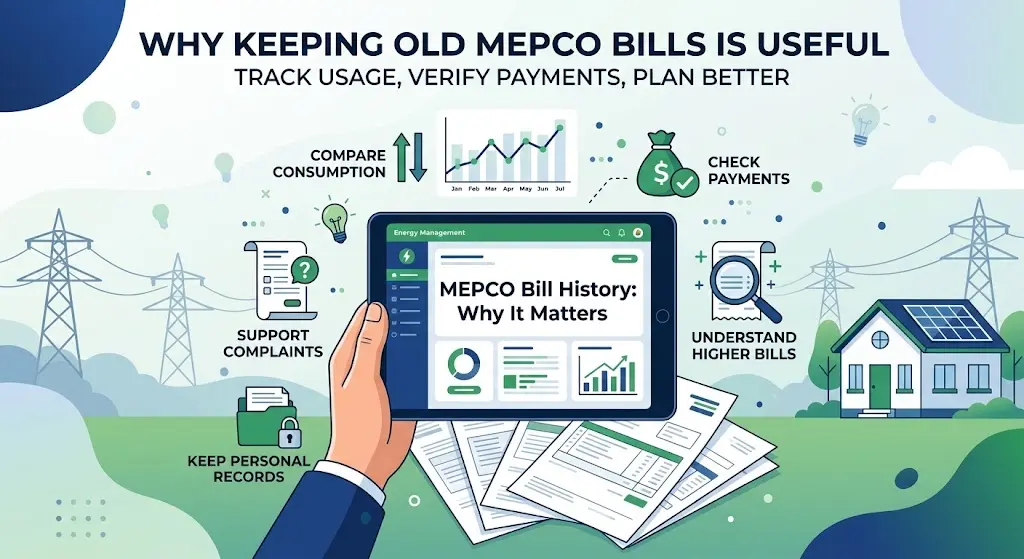
Where to Find the Reference Number on a MEPCO Bill
Your reference number is normally displayed prominently in the upper section of the electricity bill.
Look for the billing information section near the consumer details.
The reference number is generally a 14-digit number.
Do not confuse it with other numbers printed on the bill. Electricity bills can contain several different identifiers, so copy the number specifically labeled as the reference number.
If you are unsure, compare the number with an older bill from the same connection.
Where to Find the Customer ID
The Customer ID is another identifying number printed on the bill.
Its position can vary depending on the bill format, so check the consumer information section carefully.
When entering it online, copy the complete number without accidentally replacing or leaving out any digits.
Keeping a clear photo or PDF of your latest bill can help you find these details whenever you need them.
What If You Lost Your Previous MEPCO Bill?
Losing a paper bill does not necessarily mean you have lost access to your billing information.
If you know your reference number or Customer ID, you can try the online bill lookup service.
You can also check your previous email records, mobile messages, banking app payment history, or saved PDF files if you normally receive or save billing information electronically.
For future use, consider creating a folder on your phone or computer named MEPCO Bills and saving each month’s bill there.
What If You Do Not Know Your Reference Number?
If you do not know your reference number, check any older electricity bill first.
You may also find the number in previous bill-related records or payment confirmations.
If you have no copy of the bill and cannot locate the reference number, contacting MEPCO through an official customer service channel may be necessary.
Avoid entering random numbers into unofficial bill-checking websites.
What to Do If Your Old Bill Is Not Showing
There are several possible reasons why an older bill may not appear.
First, check the reference number carefully. Even one incorrect digit can cause a failed search.
Then try again using the correct Customer ID if that option is available.
If the latest bill appears but an older bill does not, the issue may simply be related to the historical records available through the online service.
If you believe the missing bill is connected to a billing problem, contact the relevant official support channel.
The official CCMS system is designed for electricity complaints and includes billing-related complaint categories such as excess billing, wrong meter reading, account information, and delayed billing.
What If the MEPCO Bill Shows an Incorrect Reading?
If your old or current bill shows a meter reading that you believe is incorrect, compare it with your actual meter and previous bills.
Check:
- Previous meter reading
- Current meter reading
- Units consumed
- Meter reading date
- Billing period
If the information still appears incorrect, keep a copy of the bill and any supporting evidence before submitting a complaint.
Do not delete the old bill after submitting a complaint. It may be useful when discussing the issue with the relevant office.
Can Old MEPCO Bills Help With Payment Verification?
Yes, old bills can be useful when checking your payment records.
However, the bill itself should not always be treated as proof that a payment was completed.
If you paid through a bank, mobile wallet, ATM, online banking, or another payment channel, keep the corresponding payment receipt or transaction confirmation as well.
A good record-keeping system is:
Bill + Payment Receipt + Transaction Reference
Keeping these three together makes it much easier to resolve a payment-related question later.
Can Tenants Use Old MEPCO Bills as Proof of Address?
An electricity bill may sometimes be requested as supporting address documentation, but whether an old bill is accepted depends on the organization asking for the document.
A tenant should not assume that an old MEPCO bill will automatically be accepted as proof of address.
If the document is required for a bank account, rental agreement, government service, school, or another purpose, check that organization’s current requirements.
How to Save Your MEPCO Bill History
The simplest way to maintain your own bill history is to save each bill when you receive or check it.
You can use a folder such as:
MEPCO Bills → 2026
Inside it, save files using clear names:
- MEPCO-January-2026.pdf
- MEPCO-February-2026.pdf
- MEPCO-March-2026.pdf
- MEPCO-April-2026.pdf
You can follow the same system for future years.
If you pay your bill online, save the payment confirmation in the same folder.
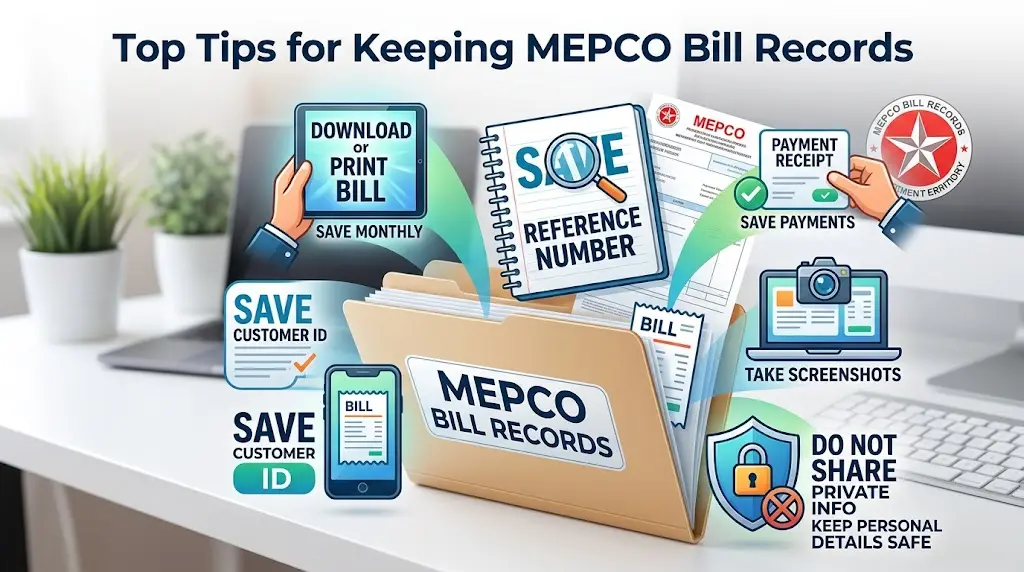
Best Tips for Keeping MEPCO Bill Records
A few simple habits can prevent problems later.
Save Every Monthly Bill
Download or print the bill whenever possible.
Keep Your Reference Number Safe
The reference number is one of the most useful details for finding your bill.
Keep Your Customer ID Too
Store the Customer ID along with the reference number.
Save Payment Receipts
Do not rely only on the electricity bill. Keep payment confirmations separately.
Take a Screenshot When Necessary
If you check a bill online and cannot download it, a clear screenshot can be useful for temporary records.
Do Not Share Your Information Publicly
Avoid posting your complete reference number, Customer ID, CNIC, phone number, or other personal billing information on public websites or social media.
MEPCO Old Bill History vs. Current Bill
These two terms are often confused.
A current MEPCO bill is the latest bill available for your connection.
Old bill history refers to information from previous billing periods.
If you only want to know your latest amount, due date, or units, you usually need the current bill.
If you want to compare your electricity usage over time or verify an earlier charge, you need the relevant previous bill.
You can use our MEPCO online bill service to start checking your available bill information.
Official MEPCO and PITC Resources
For billing and complaint-related matters, it is best to use official sources.
PITC operates electricity-related online services and lists View Electricity Bill and Federal Complaint System among its online services.
You can use:
- PITC Official Website – for PITC electricity services and information.
- PITC Online Electricity Services – the PITC website lists bill viewing among its online services.
- PITC CCMS – for electricity complaint-related assistance and tracking.
- MEPCO Bill Check – for convenient MEPCO bill checking.
PITC also states that its systems provide ICT and billing-related services to distribution companies.
Frequently Asked Questions
Can I check old MEPCO bills online?
You can check available MEPCO bill information through the online bill lookup system using your reference number or Customer ID. However, you should not assume that every historical bill from previous years will always be available online.
What if my old MEPCO bill is not showing?
First, check your reference number and Customer ID. If the information is correct but the older bill is still unavailable, contact MEPCO through an official support channel. If the problem involves billing, you can also use the official CCMS complaint system.
Which details are most important for MEPCO bill lookup?
The 14-digit reference number is one of the most important details. Your Customer ID can also be useful where the lookup service supports it.
How many months of MEPCO bill history can I check?
There is no need to assume a fixed number of months will always be available online. The historical information you can access depends on the records and service being used. If a particular older bill is unavailable, contact the relevant official support channel.
Can I download or print an old MEPCO bill?
If the bill is available through the online service and the page provides printing or download functionality, you can save or print it. If downloading is not available, you can keep a screenshot or use the appropriate official channel to request assistance.
Can I check an old MEPCO bill without a reference number?
You may be able to use your Customer ID where the online bill service provides that option. If you do not have either identifier, finding an old bill online can be difficult. Check your previous paperwork or contact MEPCO for assistance.
Can tenants use an old MEPCO bill as proof of address?
An electricity bill may be accepted as supporting documentation in some situations, but acceptance depends on the organization requesting it. A tenant should check the specific document requirements before relying on an old MEPCO bill.
What should I do if I find an error in an old MEPCO bill?
Keep a copy of the bill and compare the meter reading, units, billing period, and charges with other bills. If the issue still appears incorrect, contact MEPCO or submit a complaint through the official CCMS system.
Final Words
Checking your MEPCO old bill history can make it much easier to understand your electricity usage and keep your household records organized. Your reference number and Customer ID are the two most useful details to keep available.
For a normal bill lookup, start with the online service and check whether the required bill record is available. If you need an older bill that does not appear, or if you notice a problem with billing information, use the official MEPCO/PITC support channels instead of relying on unofficial claims about historical records.
For everyday bill checking, you can also use our MEPCO Bill service and save each bill after checking it. Keeping your own PDF copies and payment receipts is one of the easiest ways to build a reliable MEPCO bill history throughout 2026 and beyond.